


Your Support Center
The Fiberspark Support Center puts the help, information, and tools you need all in one place, whether you’re experiencing a connection problem, checking on network service, or need to reach our technical team. Start here to find answers, troubleshoot an issue, or get the support you need to get back online.
Explore Our Support Quicklinks »
Quick Fix FAQs
Network Status
Connection Tools
Customer Portal
Common Issues & Solutions
Whether your connection is down, running slower than expected, or your Wi-Fi isn’t cooperating, start with these FAQs to help identify and resolve the problem, check the status of the Fiberspark network and learn the best ways to reach our support team if you need us. Browse the topics below and let’s get you connected again.
01
No Internet Connection
You can find additional tools for troubleshooting connections here on the Support Center.
02
How to Check Fiberspark Network
If you don't see an issues, Submit a Support Ticket directly on your customer portal for easy tracking and communication with the tech team.
03
Slow Internet Speed
Still have questions? Try contacting our team directly at support@fiberspark.com or call 607-383-0595.
04
Steps for Testing Speed
• Pause any streaming, downloads, gaming, or other heavy internet
usage on all devices
• If testing over Wi-Fi, keep your device within 10 feet of the router
during the test.
Power cycle your equipment: Unplug your modem/ONT and router, wait 30 seconds, then plug the modem/ONT back in first. Once the lights return to normal, plug the router back in.
Run a speed test using Speedtest.net.
Please perform the Speed Tests under both conditions:
Wired: Connect your device directly to the modem/ONT using an Ethernet cable.
Wi-Fi: Run the Speed Test while connected wirelessly to your router.
Take a screenshot of each result and attach them to your reply.
Please provide the brand and model of your router (e.g., Eero, TP-Link AX10, etc.). Please also provide the make and model of the device used for each speed test.
Let us know if you have already tried any troubleshooting steps, such as restarting your equipment or checking the cable connections. Upon completion, include this information when submitting a ticket or contacting tech support; we'll be happy to investigate issues further and assist you.
05
Intermittent Connection
If the problem continues, contact our support team for a line diagnosis of your system from Fiberspark. Still have questions? Try contacting our team directly at support@fiberspark.com or call 607-383-0595.
06
Wi-Fi Not Working
You can access numerous connection aids in the Tools Section>of this page.<br />
Still have questions? Try contacting our team directly at support@fiberspark.com or call 607-383-0595.
07
How Do I Contact Support?
Alternatively, you can give us a call at 607-383-0595 during business hours.
Your Customer Support
Live Network Status Updates
Or view all status and details directly on our Network Status Portal here.
System Operations
View full status pageUpcoming Maintenance
Troubleshoot Before You Call
Most connection issues are resolved with these simple troubleshooting steps. Our tech team runs through them as well. Take a moment to try these steps before you place your call. Additional diagnostic tools are also available here.
Step 1
Use our Network Status Portal to check for possible outages and updates, or scheduled maintanence in your area.
Step 2
It ususally works. Unplug your fiber box and router for 60 seconds. Plug the fiber box back in first, wait for the lights to go solid, then plug in the router.
Step 3
Your connections could be the culprit. Confirm all cables are seated. A loose or snagged cable is the single most common cause for sudden drops.
Step 4
Connect straight to the router with an Ethernet cable and run a Speed Test. This will aid in confirming weak Wi-Fi or upstream provider issues.
Step 5
Your status lights tell the story. When checking your equipment, if a light is red, off, or behaving oddly, let our support team know.
Step 6
After troubleshooting, you can submit a Service Ticket directly through your Customer Portal, or call our tech team at: 607-383-0595
Tools At Hand
A selection of tools for you to use to help resolve or determine the issues surrounding network performance, status, and possible resolutions. Useful for gathering concrete information beneficial prior to contacting our tech team.
Online tool used to check whether a specific website, app, or service is offline for everyone or just experiencing issues on your own device or internet connection. Use it when a page won’t load to see if your Wi-Fi or browser is at fault.
Helpful online tool used to measure your internet connection’s download speed, upload speed, and ping (latency). Helps diagnose network performance issues and supplies data for you before calling your ISP.
Know what’s up. See your public IP address, approximate location, and network details to help identify and troubleshoot your internet connection, supplying information helpful for when contacting the Fiberspark tech team.
Live Network Status
Our Network Status Portal lets you quickly check whether there’s a known outage, service issue, or scheduled maintenance affecting your area. Real-time updates help you determine if the problem is network-related and keep you informed as service is restored.
Is it your Wi-Fi, your ISP, or the service? This runs five layered checks in your browser and leads with one plain-language answer – your device, your Wi-Fi (likely), your ISP, or the cloud service itself and builds a report you can give to your ISP or IT provider.
Fiberspark Customer Portal
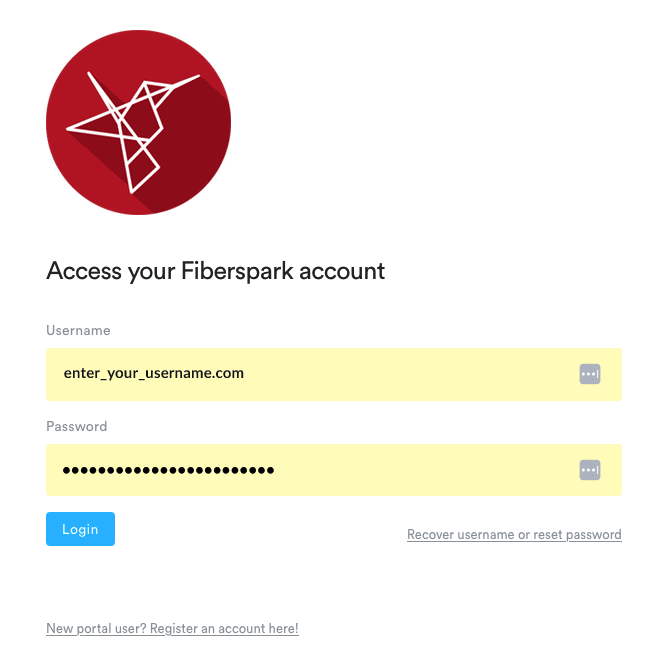
The Fiberspark Customer Portal puts everything you need in one convenient place. View your account balance, access invoices, manage payment methods, and keep track of your billing details anytime.
If you need help with your service, the portal is also the fastest way to submit a support ticket and communicate directly with our technical team. Every update, response, and resolution is stored in one easy-to-follow conversation, helping us assist you more efficiently and ensuring nothing gets missed, keeping you connected and informed 24/7.
Contact Fiberspark Support
Still having issues? Feel free to reach out. We’re here to help, and our tech team is available to answer your questions and solve your connection issues. Feel free to contact us directly, or for any specific issues, it’s best to submit a support ticket through your personal Customer Portal for easy tracking and communication.